
GLP-1 shot tracker for semaglutide and tirzepatide
To track GLP-1 shots well, log the date, amount and injection site of every weekly dose, set a reminder for dose day, and record your weight and any side effects on a fixed day each week. PeptideMate is a free app that does all of this in one place.



For Android, iPhone, iPad and Mac.
What should you track for a weekly GLP-1 injection?
- Every dose, with the medicine name, amount, date and time
- The injection site, on a front and back body map
- A weekly schedule with a reminder
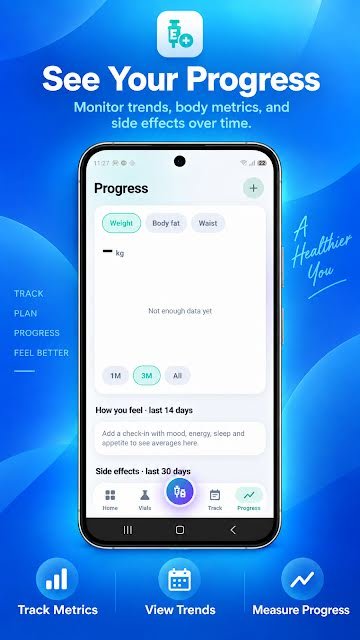
- Weight, body fat and waist, charted over time
- Side effects on the day they happen
- Check-ins for appetite, energy, sleep and mood
- Pens or vials, with lot number and expiration date
What is a good weekly tracking routine?
- On dose day, the reminder arrives. Log the dose and tap the site you used.
- Once a week, on the same day and at the same time, log your weight.
- When a side effect shows up, note it that day.
- Before each appointment, export your history and bring it with you.
The full routine is in how to track a weekly injection.
Which medicines can I track? Ozempic, Wegovy, Mounjaro, Zepbound
Any. You type the name yourself, so PeptideMate works for semaglutide and tirzepatide under whatever name is on your pen or vial, including Ozempic, Wegovy, Rybelsus, Mounjaro and Zepbound, as well as liraglutide and other GLP-1 medicines.
Ozempic, Wegovy and Rybelsus are trademarks of Novo Nordisk A/S, and Mounjaro and Zepbound are trademarks of Eli Lilly and Company. PeptideMate is an independent record-keeping app and is not affiliated with, or endorsed by, any medicine's manufacturer.
Each medicine has its own details worth logging, such as pen in-use dates and missed-dose windows from the US label. See how to track semaglutide (Ozempic, Wegovy, Rybelsus) and tirzepatide (Mounjaro, Zepbound). If you are in a clinical trial, see keeping a retatrutide log. Prefer paper? Print the free GLP-1 tracker template.
Comparing apps first? See the best GLP-1 tracker apps, compared from their store listings, and PeptideMate vs Shotsy.
Why is a weekly dose easy to lose track of?
Daily habits run on routine. A weekly one does not: seven days is long enough to be unsure whether you took the dose, and to forget which side you used last time. A reminder answers the first question and a site record answers the second.
Why does the dose need checking on a vial?
Pens deliver a fixed dose. Vials of compounded semaglutide or tirzepatide are measured with a syringe, and the US Food and Drug Administration has reported patients taking 5 to 10 times their intended dose after milligrams, millilitres and units were confused. If you use a vial, confirm how to measure each dose with your pharmacy, and use the semaglutide or tirzepatide calculator only to check the arithmetic.
What PeptideMate does not do
GLP-1 medicines are prescription treatments. PeptideMate does not recommend doses, tell you when to step up, or give medical advice. It records what you enter, so the person prescribing has a clear history to work from. See the medical disclaimer.
Sources
- FDA alerts health care providers, compounders and patients of dosing errors associated with compounded injectable semaglutide products, US Food and Drug Administration, July 2024.
- Ozempic (semaglutide) injection: prescribing information, Novo Nordisk, via DailyMed (US National Library of Medicine).
GLP-1 tracking questions
What is the best GLP-1 shot tracker app?
Look for a tracker that logs each weekly dose with its date, amount and injection site, reminds you on dose day and charts your weight. PeptideMate does all of these and also records side effects and check-ins for appetite, energy, sleep and mood, with a CSV export for appointments.
Can I track Ozempic, Wegovy, Mounjaro or Zepbound in PeptideMate?
Yes. You type the medicine name yourself, so PeptideMate works for any semaglutide or tirzepatide product. PeptideMate is not affiliated with the makers of those medicines.
How should I track weight loss on a GLP-1?
Weigh yourself on the same day each week at the same time of day and log it next to your doses. A weekly reading is easier to interpret than daily ones, which swing with water and food. PeptideMate charts weight, body fat and waist over one month, three months or all time.
What app should I use when starting a GLP-1?
Use one that logs each dose with its date, amount and injection site, reminds you on dose day and lets you record weight and side effects from the first week. PeptideMate is free for Android, iPhone, iPad, Mac and the web and does all of these. Log your first dose on the day you take it, so the history starts complete.
Which app helps me track GLP-1 dose increases?
PeptideMate keeps the amount of every dose you log, so the history shows each step: the weeks at the starting dose, then each increase your prescriber made. When the dose changes, update the amount on your schedule; past entries keep the amount you took. You can export the whole history as a CSV file for appointments.
Does PeptideMate tell me when to increase my GLP-1 dose?
No. Dose changes are decided by your prescriber. PeptideMate records the doses you enter and gives you a clear history to bring to the appointment.
Start tracking your GLP-1 shots
PeptideMate is free to download for Android, iPhone, iPad and Mac. Add your first vial and log your first dose in under a minute.
For Android, iPhone, iPad and Mac.