
Progress, body measurement and side effect tracking
PepVault's Progress tab charts body measurements such as weight, body fat and waist over one month, three months or all time. It also keeps check-ins for mood, energy, sleep and appetite, and a record of the side effects you have logged.



For Android, iPhone, iPad and Mac. On the App Store the app is listed as PeptideMate.
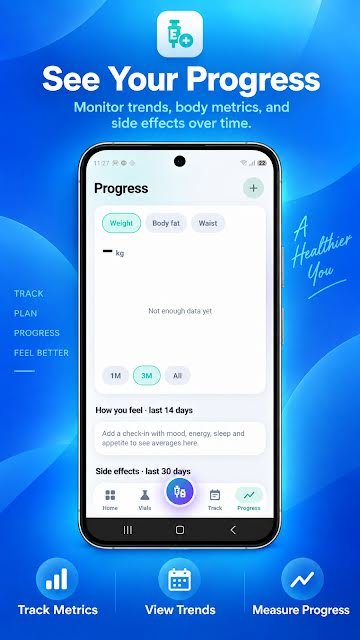
What it records
- Weight, body fat and waist measurements
- Charts over one month, three months or all time
- Check-ins for mood, energy, sleep and appetite
- Side effects logged in the last 30 days
- Doses over time and how often you logged
How to use it
- Open the Progress tab and tap the plus button.
- Add a measurement or a check-in.
- Switch between weight, body fat and waist, and between time ranges.
- Take the record to your next appointment.
Why it helps
A dose log answers "what did I do". Measurements and check-ins answer "what happened". Keeping them in the same place means the two can be read side by side, by you or by the professional looking after you.
PepVault shows the data you entered. It does not interpret it or draw medical conclusions from it.
Questions about the progress, measurements and side effects
What measurements can I track?
Weight, body fat and waist, each with its own chart, in the units you choose in settings.
Can I log side effects?
Yes. Side effects and observations can be recorded with a dose, and the Progress tab summarises the last 30 days.
More in PepVault
-
Peptide dose log
Record the peptide, amount, date, time, site and notes in a few taps.
-
Vial inventory and expiration tracking
Strength, lot number, cost, expiry, storage and how much is left in each vial.
-
Schedules and dose reminders
Set your own schedule, get reminders and see what is due today.
-
Injection site tracker
Mark each site on a body map and see where earlier entries went.
-
CSV export
Take your dose history with you as a spreadsheet-ready file.
Start your log today
PepVault is free to download for Android, iPhone, iPad and Mac. Add your first vial and log your first dose in under a minute.
For Android, iPhone, iPad and Mac. On the App Store the app is listed as PeptideMate.