
PepVault features
PepVault keeps your dose log, vial inventory, schedule, injection sites and progress in one app, and exports your history as a CSV file. Here is what each part does.
Peptide dose log
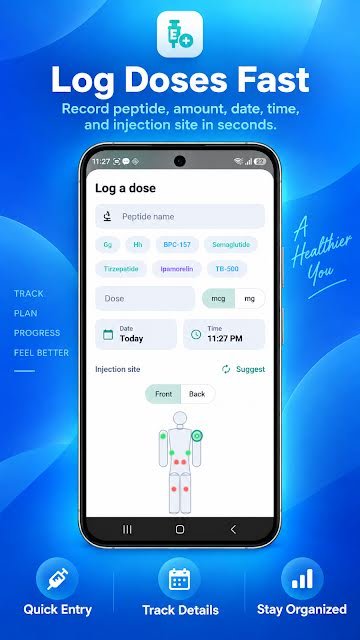
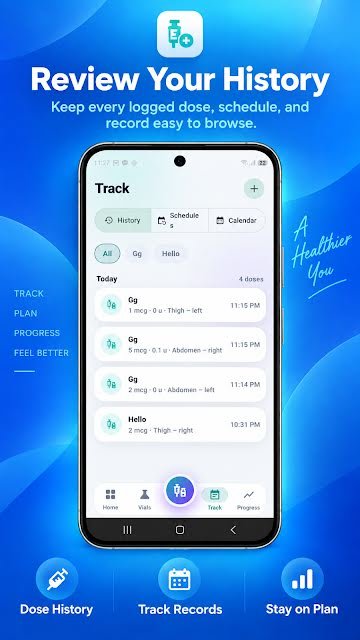
PepVault's dose log records each dose with the peptide name, the amount in mcg or mg, the date and time, the injection site, personal notes and any side effects. Every entry is kept in a history you can filter by peptide and review at any time.
- Peptide name, with one-tap chips for the ones you log most
- Amount, in mcg or mg
- Date and time, defaulting to now
- Injection site, picked on a front and back body map
- Personal notes
- Side effects or other observations
Vial inventory and expiration tracking
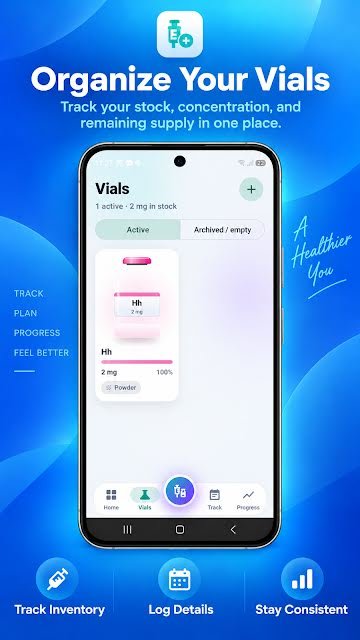
PepVault keeps an inventory of your vials. For each vial you can record its strength, lot number, purchase cost, whether it is sealed or reconstituted, its expiration date and its storage conditions, and the app shows how much supply remains.
- Vial strength, for example 5 mg
- Lot number
- Purchase cost
- Status: sealed or reconstituted
- Expiration date
- Storage conditions
- Remaining supply, shown as an amount and a percentage
Schedules and dose reminders
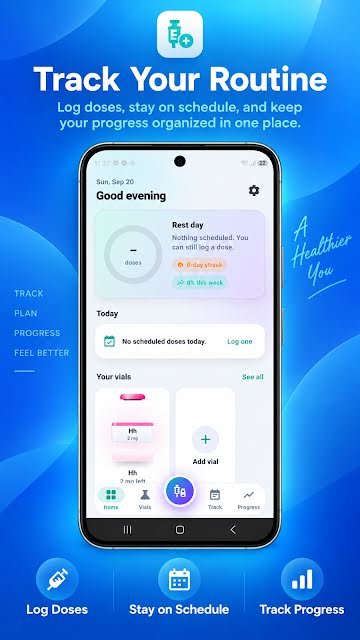
PepVault lets you create your own schedule and turn on reminders for it. The home screen shows what is scheduled today, what is coming up, your current streak and how much of the week you have completed.
- Schedules you create for each peptide
- Reminders for scheduled entries
- Today's scheduled doses on the home screen
- A day streak and a weekly completion percentage
- A calendar view of past and upcoming entries
Injection site tracker
PepVault records the injection site for every dose on a front and back body map. Your history shows where each earlier entry was logged, such as left thigh or right abdomen, so you have an organised record of your site rotation.
- The site of each entry, picked on a front or back body map
- Left and right side for each area
- A site history alongside the dose history
- A Suggest button that proposes a site for the entry
Progress, measurements and side effects
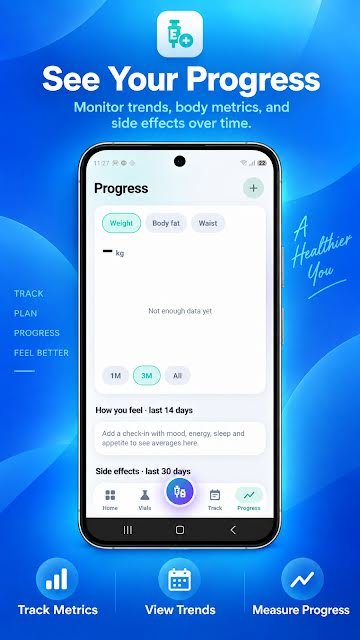
PepVault's Progress tab charts body measurements such as weight, body fat and waist over one month, three months or all time. It also keeps check-ins for mood, energy, sleep and appetite, and a record of the side effects you have logged.
- Weight, body fat and waist measurements
- Charts over one month, three months or all time
- Check-ins for mood, energy, sleep and appetite
- Side effects logged in the last 30 days
- Doses over time and how often you logged
CSV export
PepVault exports your recorded dose history as a CSV file. A CSV opens in Excel, Google Sheets, Numbers and most other tools, so you can keep your own copy or review the history outside the app.
- Your recorded dose history in one file
- A standard CSV that opens in any spreadsheet
Start your log today
PepVault is free to download for Android, iPhone, iPad and Mac. Add your first vial and log your first dose in under a minute.



For Android, iPhone, iPad and Mac. On the App Store the app is listed as PeptideMate.